Map layer · Paragliding
Flyable or not. And why.
Soaring windows, site details and pilot reviews on every takeoff, on the same map as the place you park the van.
- 45,000 takeoffs
- 4,000 landing fields
- Highest takeoff at 7,368 m
On the takeoff card
Flyable
Stella Alpina
Wind in sector · tier 5 takeoff
On every takeoff card
The briefing you wish someone gave you.
The head of the card stays on top. The tabs under it hold everything you check before you pack the wing.
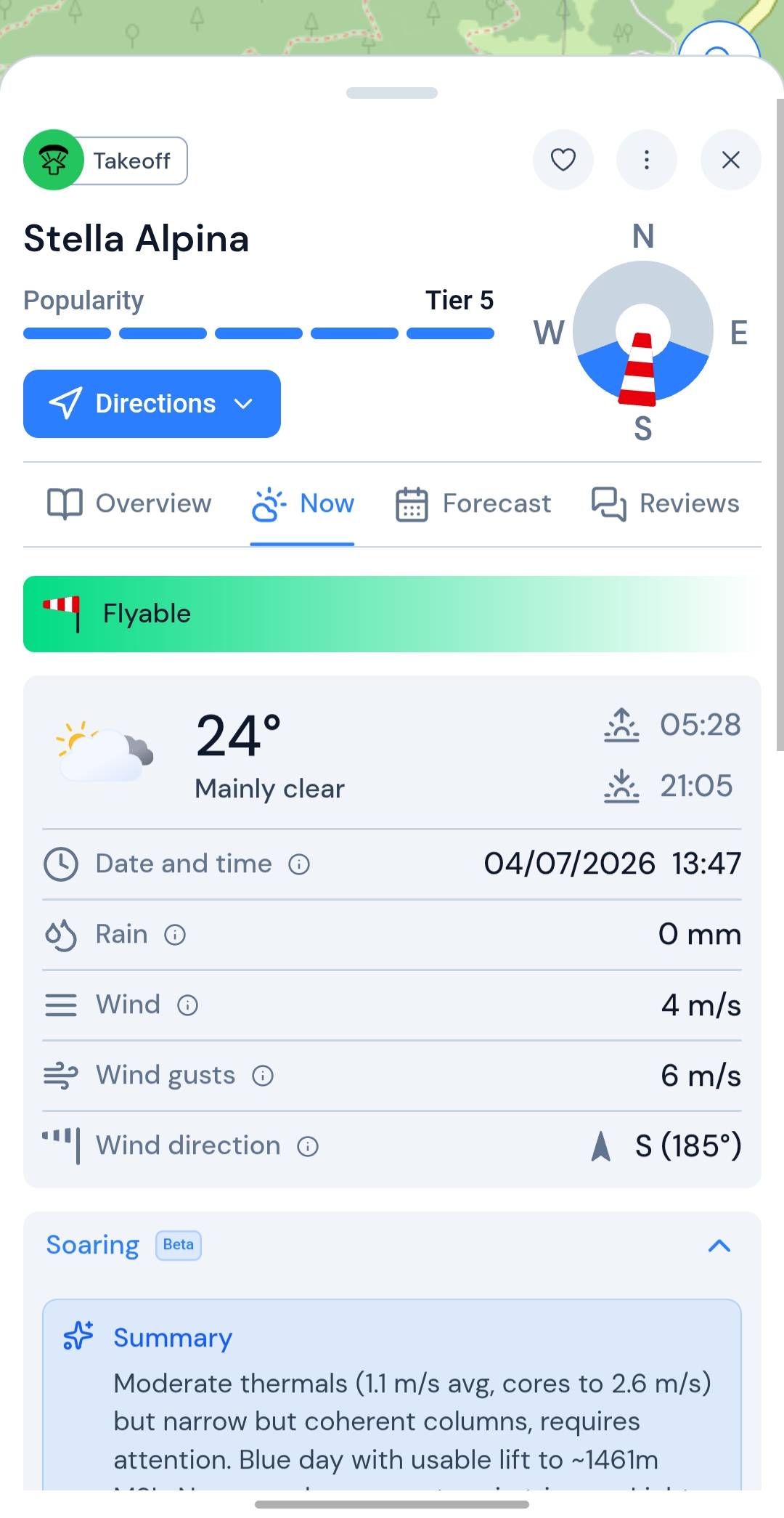
Card head
Always on top.
Tap a pin and the head of the card answers the first questions. It stays in view while you move through the tabs.
- Takeoff or landing: a badge tells you what the pin marks
- Wind in sector: flyable directions with the current wind drawn over them
- Popularity, tier 1 to 5: see how busy a site gets before you show up
- Directions: one tap sends the place to your navigation app
- Favourites and edits: save a site, or update its details for the next pilot
Overview
The site, in one scroll.
What the place is like on the ground, how you get up there and when it flies best.
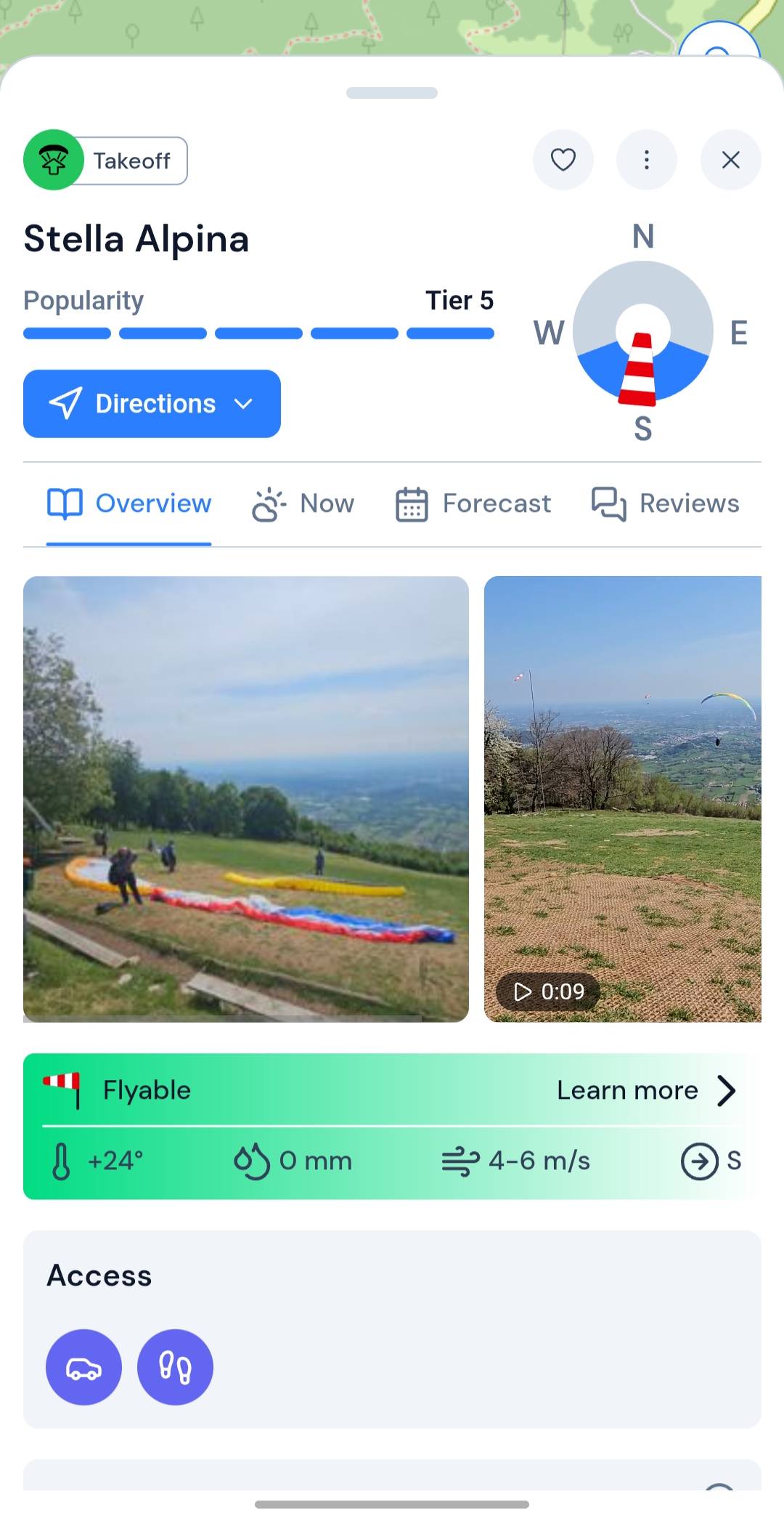
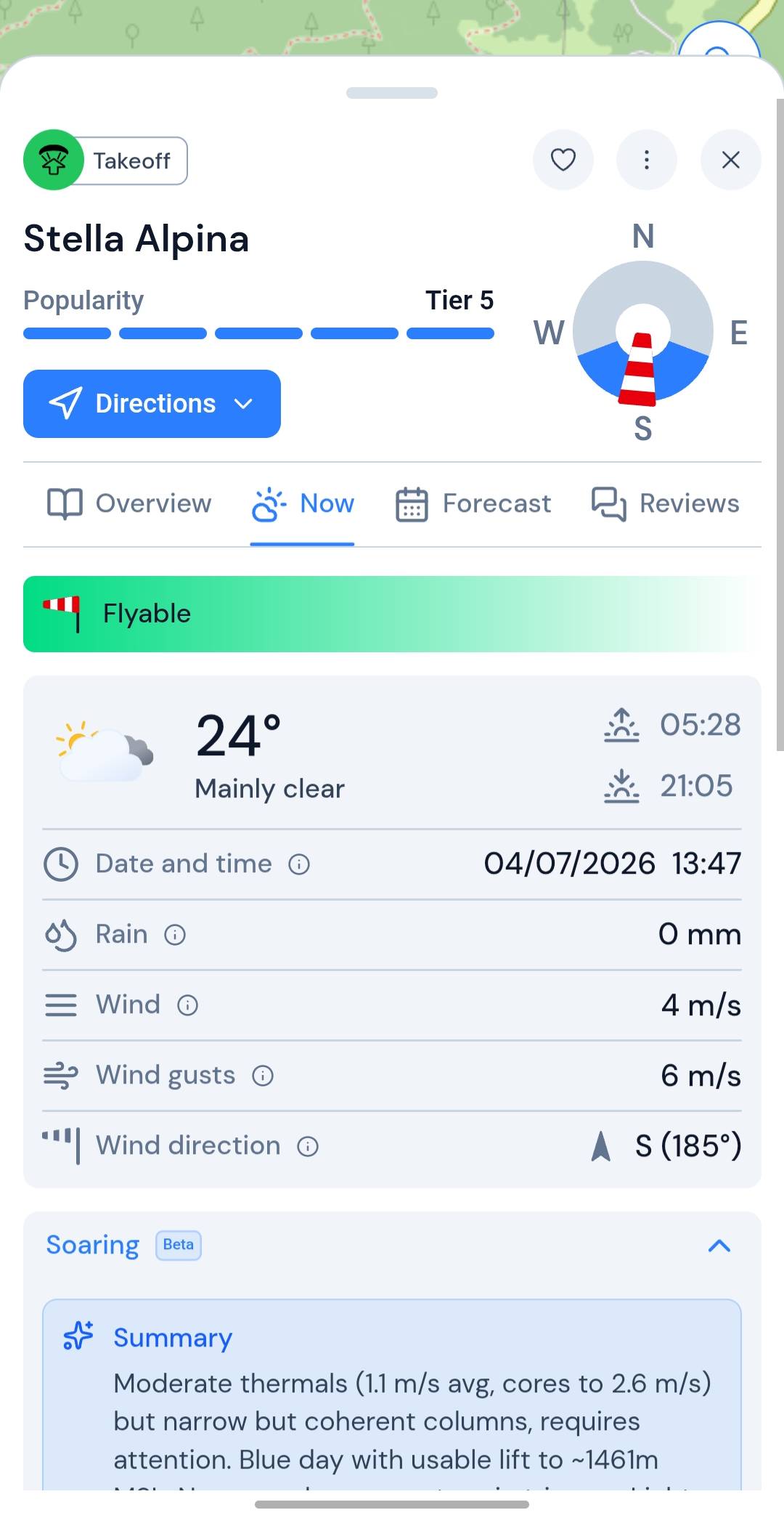
- Flyability banner: flyable or not, with the reason, plus temperature, rain and wind
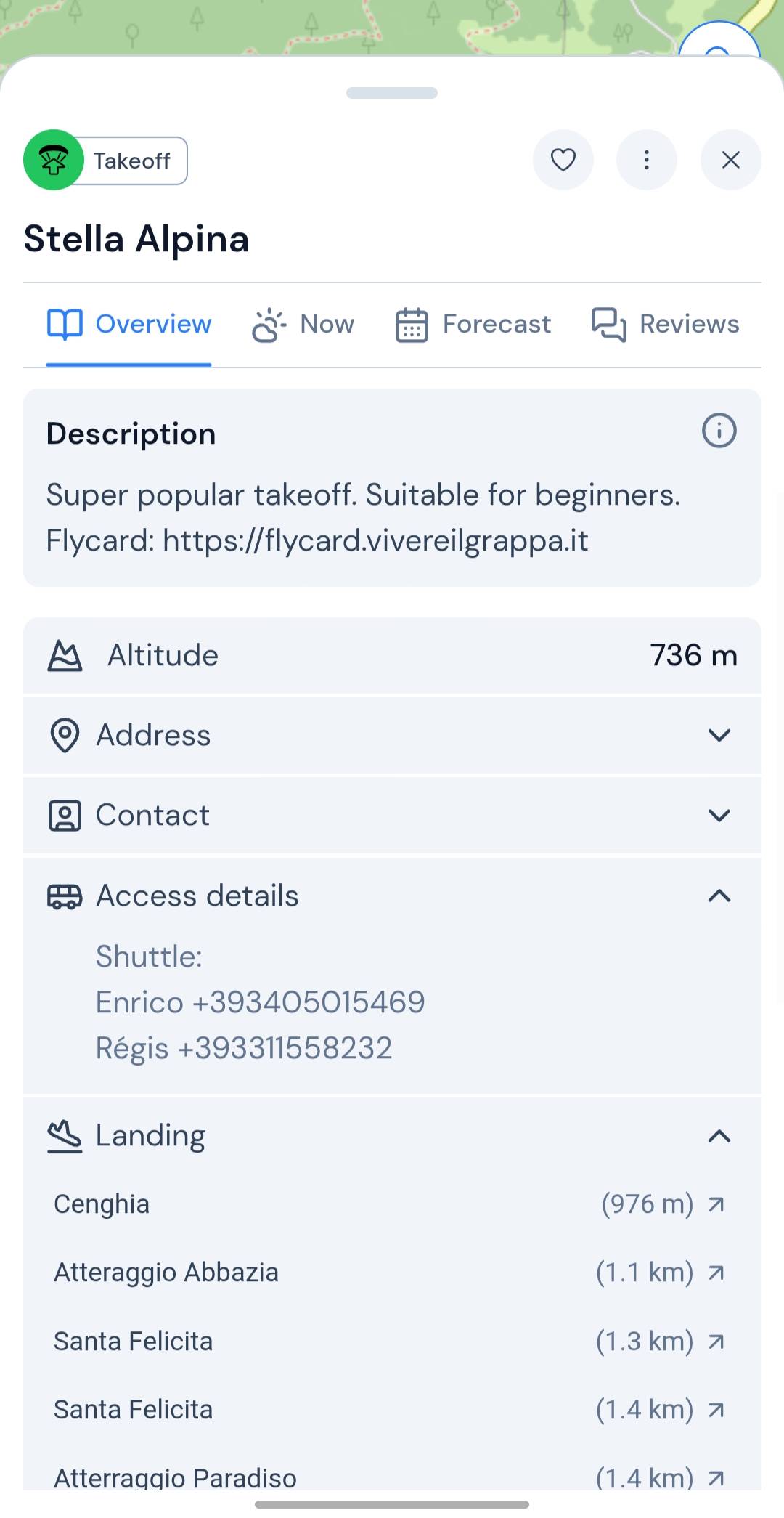
- Site details: altitude, address, contact, access notes and landing
- Access: car, taxi, cable car, bus or on foot
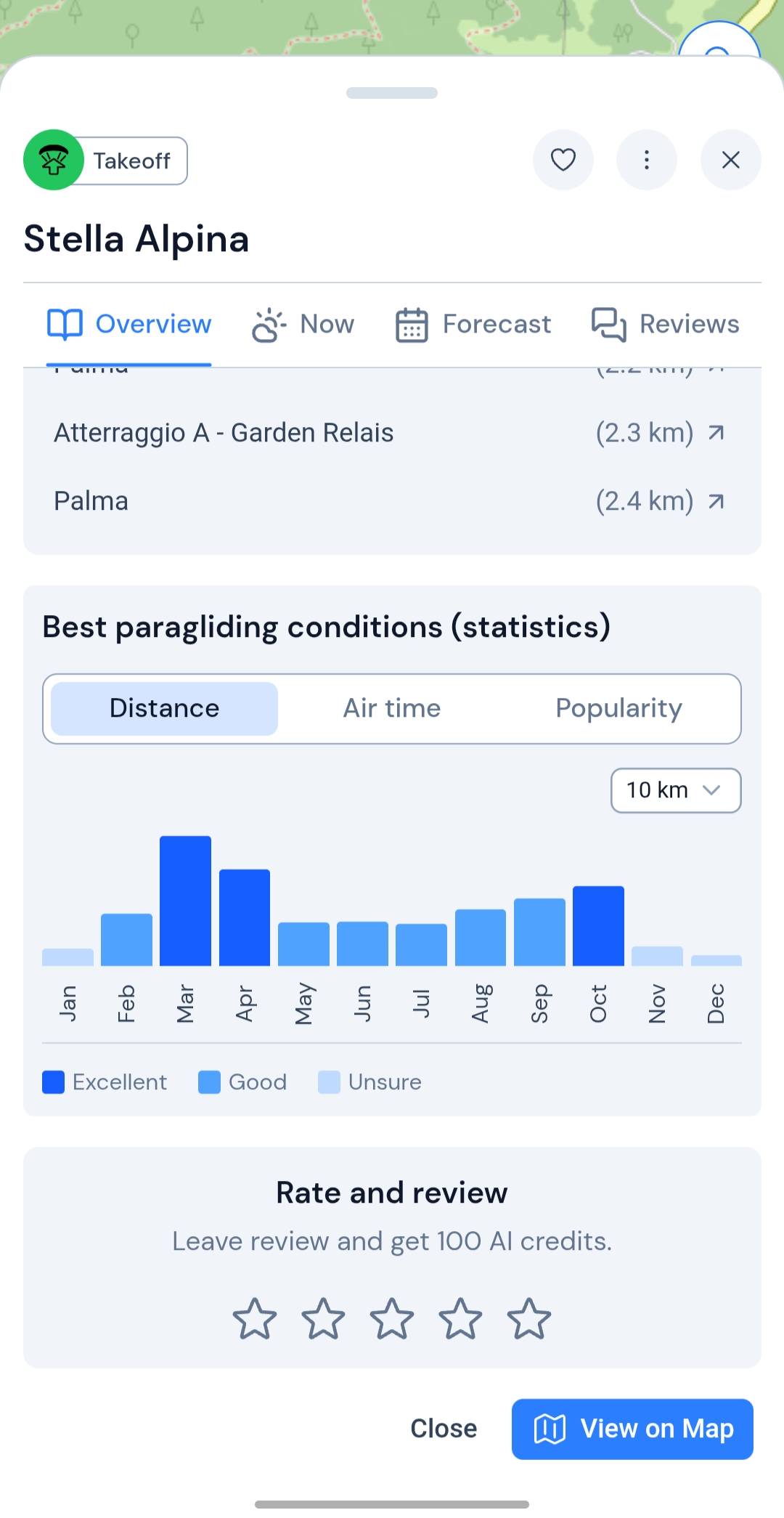
- Best conditions: statistics on when this place flies best
- Photos and video: browse clips from the spot and add your own
Now
Right now, at this takeoff.
Live weather and a soaring brief for this moment, so you know whether to drive up.
- Live weather: temperature, rain, wind, gusts and direction, with sunrise and sunset
- Soaring summary: thermals, lift ceiling, soaring window and strongest hour in plain words
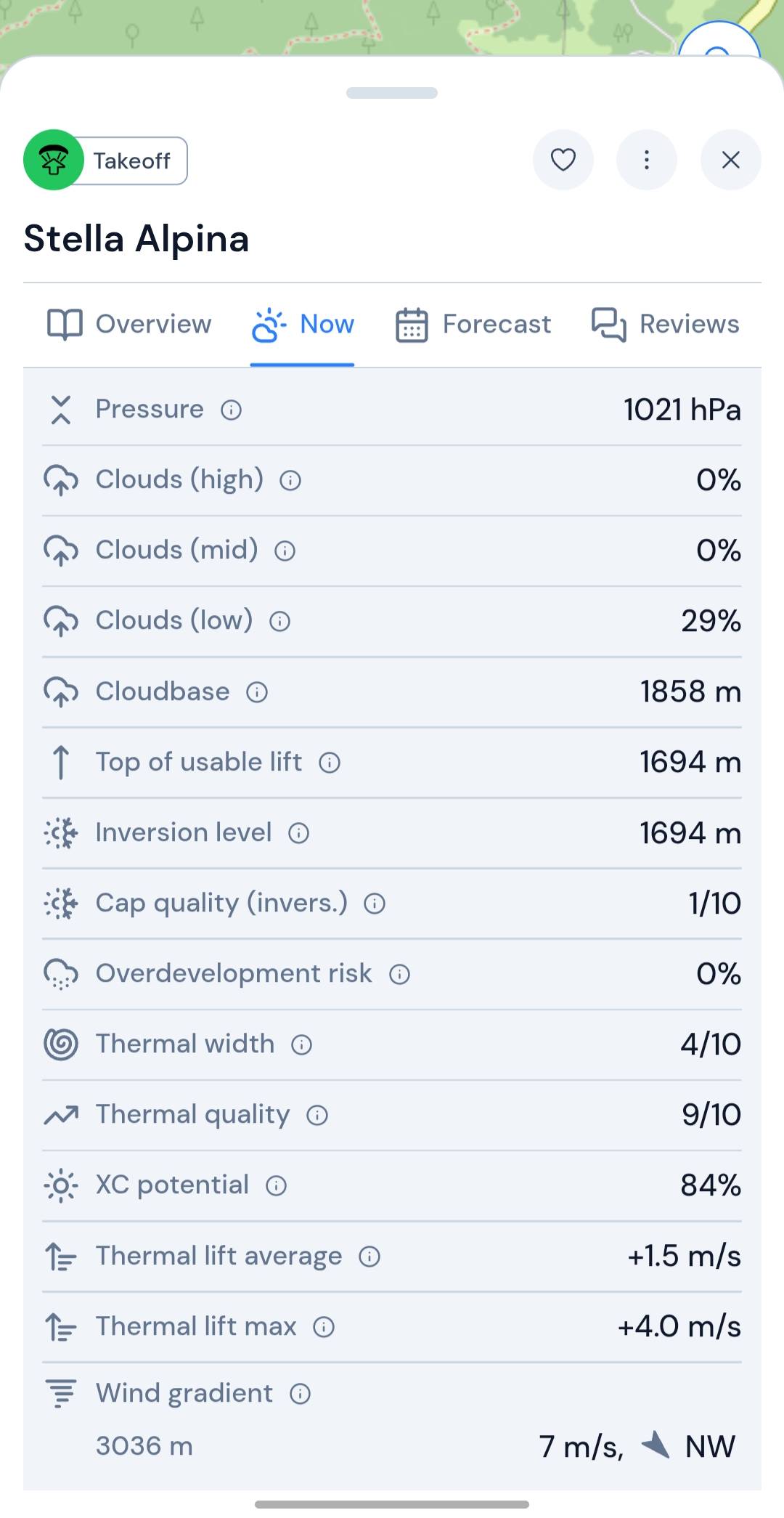
- Clouds: cloud layers, cloudbase, usable lift, inversion and overdevelopment risk
- Thermals: width, quality, XC potential, average and maximum lift
- Wind gradient: wind speed and direction at each altitude level
Forecast
Ten days ahead, hour by hour.
Find the day worth driving for, then check the hours around your window.
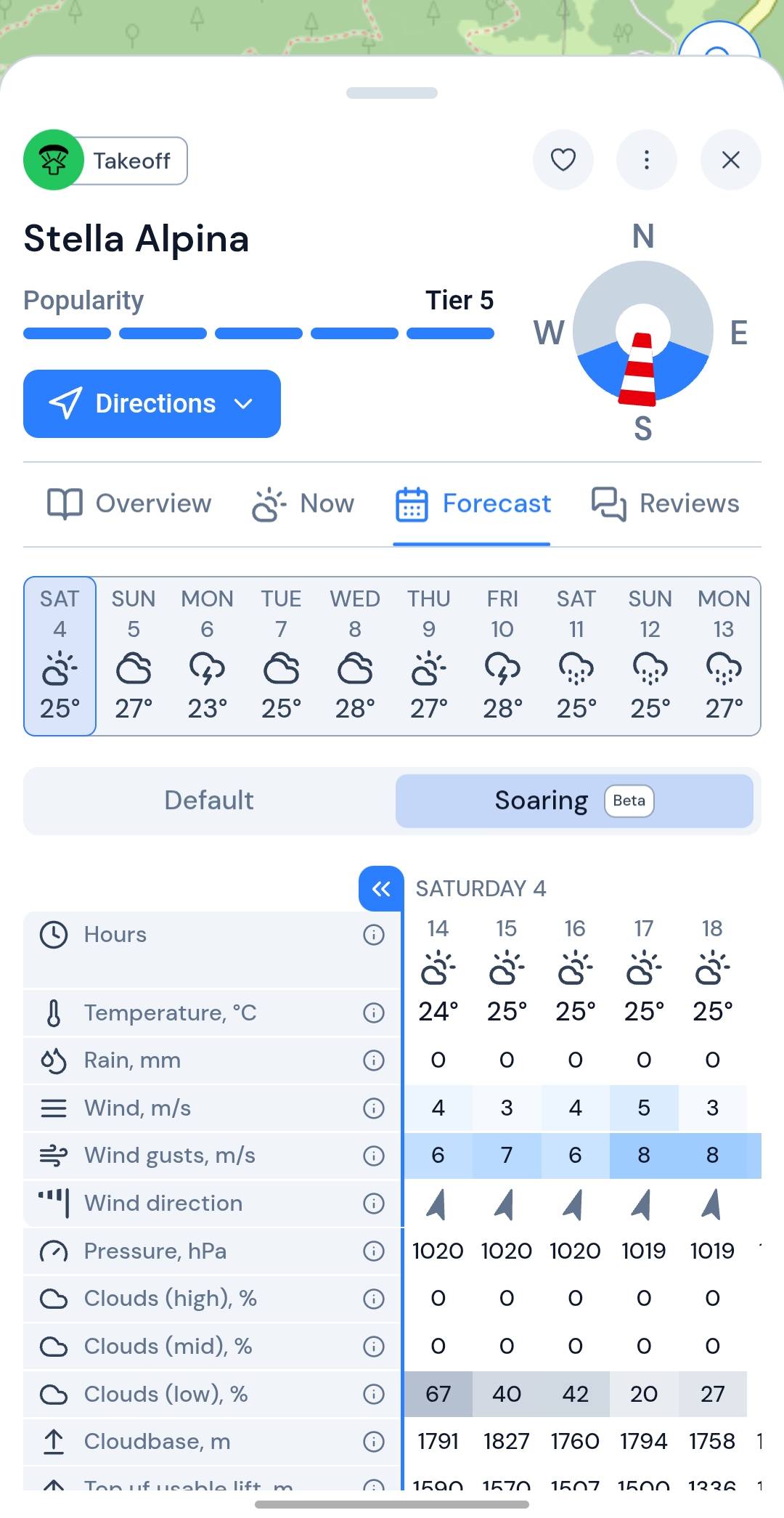
- 10-day outlook: spot the day to go at a glance
- Default hourly: temperature, rain, wind, gusts and direction for every hour
- Soaring hourly: pressure, clouds, cloudbase, usable lift, inversion, thermals and XC potential
- One switch: move between standard weather and the paragliding rows
Reviews
From pilots who flew it.
Star ratings and written notes from the site, not from a brochure.
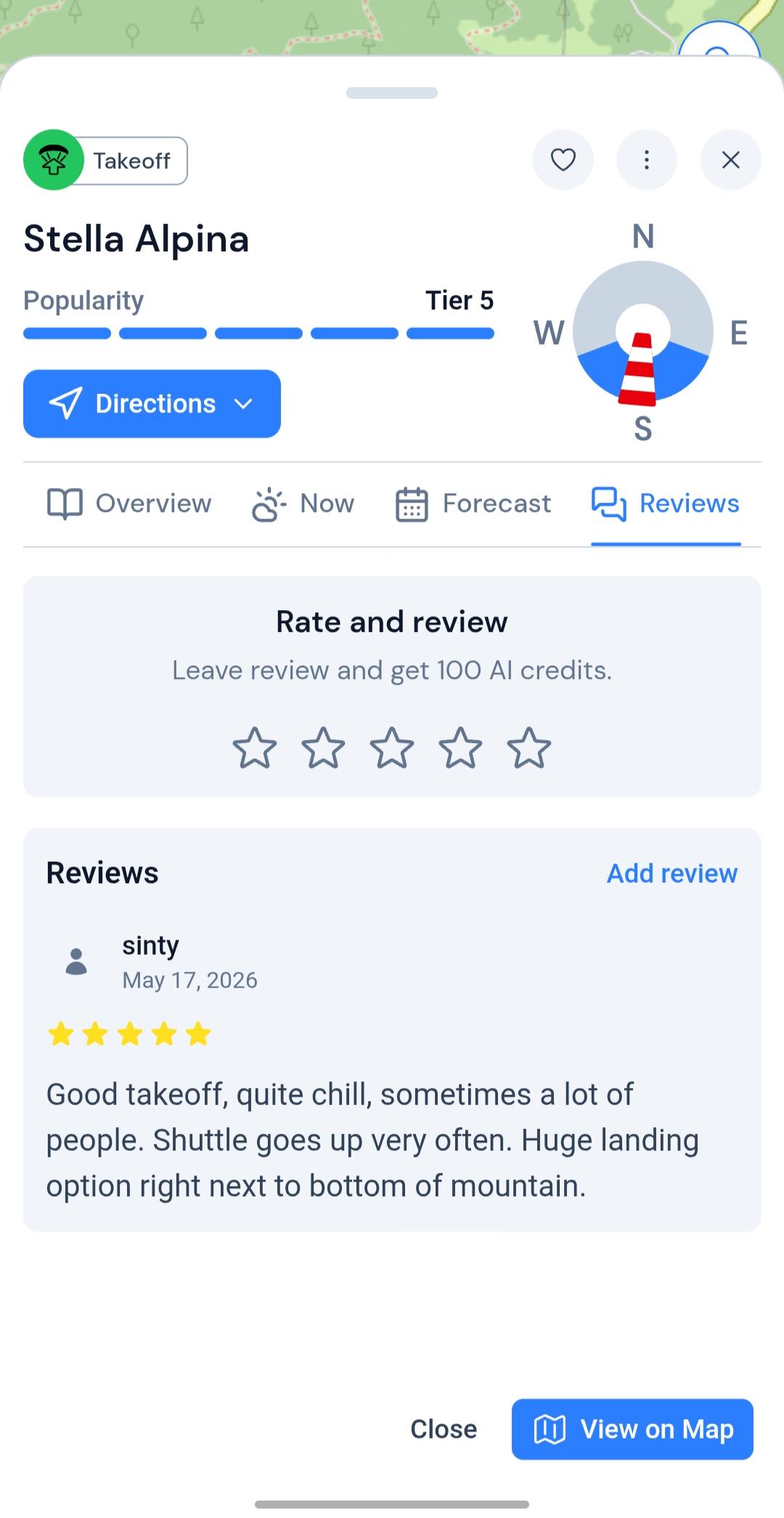
- Overall rating: average stars and how many pilots have reviewed
- Written reviews: honest notes from people who have flown here
- Leave yours: rate the spot and tell the next pilot what to expect
Airspaces Coming soon
Airspace on the same map.
Restricted and controlled zones next to your takeoff, landing and route. Not in the app yet.
- Restricted areas: no-fly and limited zones near your takeoff and landing
- Controlled airspace: see what is overhead before you launch
- On the card: beside flyability and the forecast
Soaring Beta
The sky, in plain language.
Soaring is the pilot's view of the forecast. It turns the models into the numbers you read before a flight, with a short summary on top that says what they mean for today.
Soaring summary
Flyable
Stella Alpina
Strong but narrow thermals: 1.5 m/s on average, cores to 4.0 m/s. Usable lift to about 1,700 m under a 1,860 m cloudbase, with no overdevelopment risk.
Example reading from the app. A forecast is a probability, not a promise.
- 1,858 m Cloudbase How high the day goes.
- 1,694 m Top of usable lift Where the climbs really stop.
- 9/10 Thermal quality How well formed the climbs are.
- 84% XC potential Whether it is a day to go far.
- 0% Overdevelopment risk The chance the sky overbuilds.
- +1.5 m/s Average lift With cores to +4.0 m/s.
Before you pack the wing
How are flying conditions calculated?
XCmap combines weather forecast models with what is known about each site, then turns thermals, cloudbase and overdevelopment risk into plain hints. A forecast is a probability, not a promise, so check the sky on site and trust your own judgment.
What does Soaring Beta mean?
Soaring is the paragliding view of the forecast: cloudbase, usable lift, inversion, thermals, XC potential and wind gradient, with a short summary in plain words. Beta means we are still tuning it, so compare it with the sky and with your own experience.
Does XCmap show airspace?
Not yet. Restricted and controlled airspace is coming to the same map as takeoffs and landings. Until then, check airspace in the tool you already trust.
Which sites are covered?
Takeoffs and landings come from open data, partners and pilots, so some regions are mapped in more detail than others. If a site is missing a detail you know, you can edit its info on the card.
Is the paragliding layer free?
Yes. XCmap has only a free version right now, and the full paragliding layer is part of it: no credit card and nothing to pay.
Your next fly day starts on the map.
Open a takeoff, read the sky and find a place to park nearby. Free to start.
Try free